Deploy Apps Without Managing Servers
Connect Git or Docker to deploy a frontend or backend app with the code and configuration you choose. Hostman handles the server layer.
Choose the App Type That Fits the Task
Incoming-request billing for static sites and frontend applications or hourly configurations for APIs, workers, and scheduled jobs.
From
$1/100k requests
For static sites and frontend applications built from Git.
Connect GitHub, GitLab, Bitbucket, or a repository URL.
Deploy automatically on each push.
Use 2 GB of included NVMe storage.
Use a free Hostman technical domain and Let’s Encrypt SSL, or connect a custom domain.
Use framework presets or deploy HTML, CSS, and JavaScript.
From
$5/month
For APIs, workers, and scheduled jobs deployed from Git or Docker.
Connect Git or deploy with Docker or Docker Hub.
Set build and start commands.
Add environment variables and a health-check path.
Use a public IP, private networking, and firewall rules.
Inspect logs, metrics, application logs, and the console.
Deploy from the Source You Already Use
Select a Git branch, define how the app builds or starts, and let later pushes trigger deployments.
Docker and Docker Hub are also supported.
Connect the Source
Use GitHub, GitLab, Bitbucket, a repository URL, Docker, or Docker Hub.

Provide the Settings
Select a branch and provide the build or start command. Add environment variables and a health-check path where supported.

Automate Deployments
Create the app from the selected branch. Later Git pushes can deploy automatically.
Configure the Build
Around the App Stack
Start with a frontend framework preset or backend runtime family.
Build settings and app commands stay configurable.
See What Happens After You Deploy
Deployment Logs
Follow build and deployment output.
Application Logs & Console
Inspect and troubleshoot running Backend Apps.
App Metrics
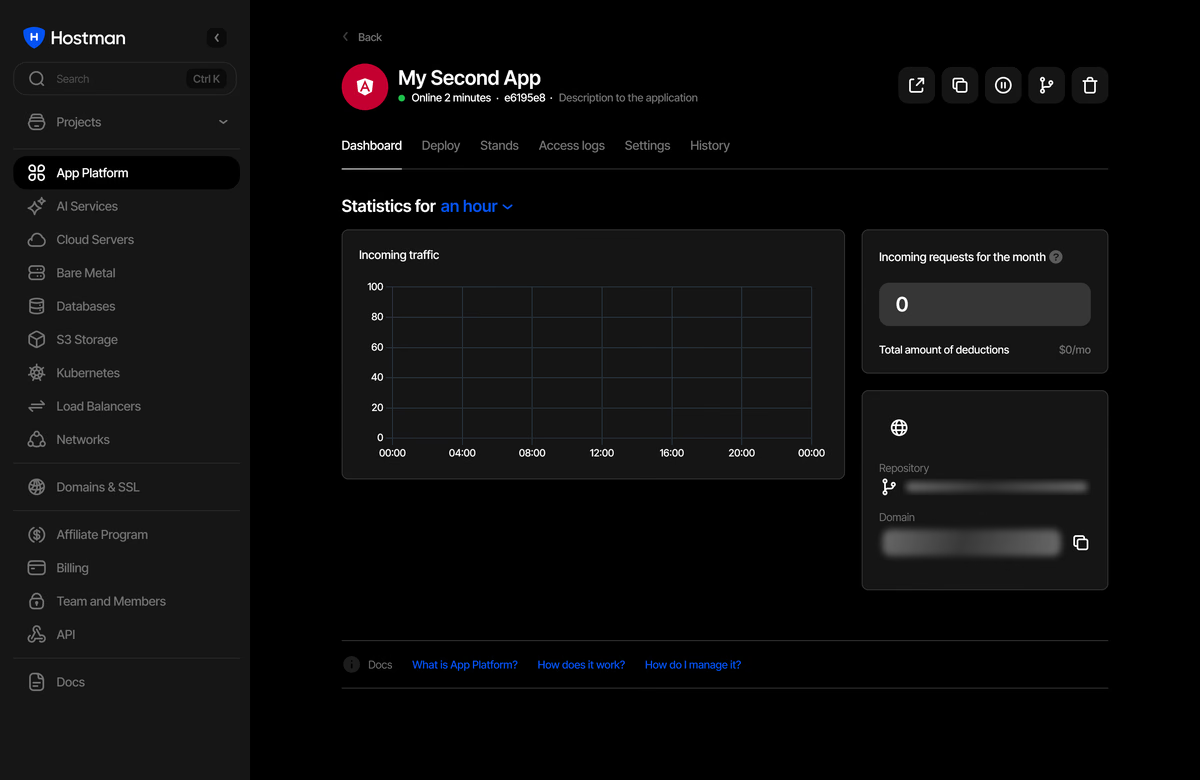
Track traffic, requests, and charges for Frontend Apps. Monitor CPU, RAM, traffic, and disk usage for Backend Apps.
Preview Environments
Up to 10 branch environments per app, each with a status and technical domain.
Control the App
Without Managing the Server
Manage app settings and incoming traffic in one place. Backend Apps also support private networking and firewall rules.

Deploy the Code Your AI Tool Wrote
Put code from a coding assistant in Git or package it with Docker,
then create the app from that source.
When the App Needs More Control
Use App Platform for managed application deployment, or choose a separate product
when the workload requires more control.